How to enjoy a game on Roblox in 2026 and why it matters.
Learn how to enjoy a game on Roblox in 2026 on PC, mobile, and console, and understand why this influences rewards, codes, and visibility.

Enjoying a game on Roblox goes far beyond a simple symbolic gesture. In 2026, this action remains essential for unlocking rewards, releasing exclusive codes, and helping games gain prominence in the platform's recommendation system.
With Roblox 's growth across different devices, many players still have questions about where to find the "like" button on PC, mobile, or console. The interface varies depending on the platform, which can confuse newer users.
For Roblox players, understanding this process is important because some games require likes as a condition to unlock bonuses, and it also directly impacts the success of developers within the ecosystem.
Why enjoying a game on Roblox is important
Roblox's recommendation system uses metrics like likes and engagement to highlight quality experiences. The more likes a game receives, the greater the chance it will appear to new players.
Furthermore, many developers lock away small rewards, temporary advantages, or even the redemption of Roblox Codes behind the act of enjoying the game.
How to enjoy a Roblox game on PC
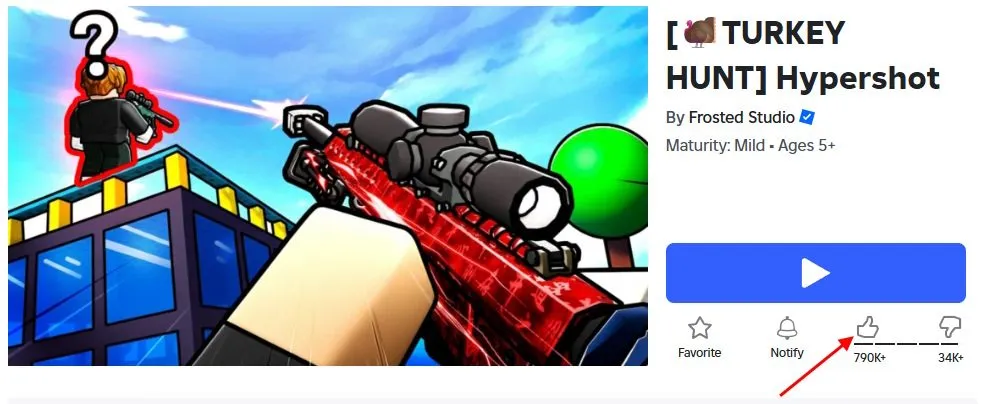
On a computer, the process is simple and can be done either through the website or the official app.
Using the Roblox website
- Access the official Roblox website through your browser.
- Open the page for the game you want.
- Locate the Like button just below the Play button.
- Click the thumbs-up icon to register your like.
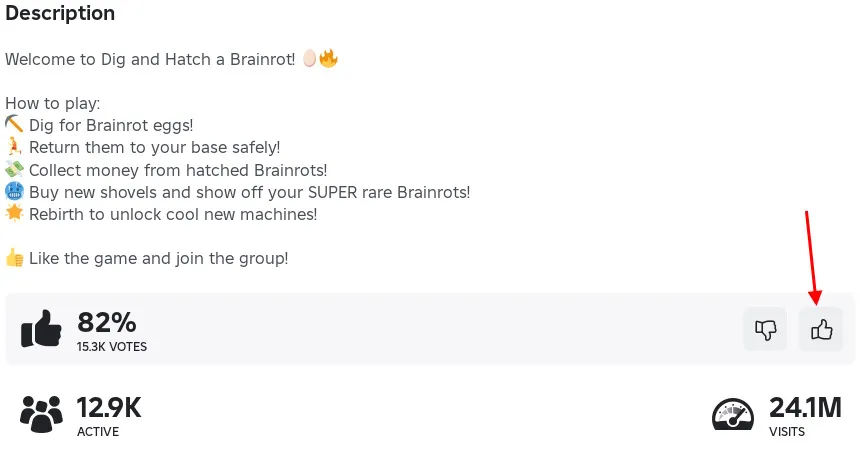
Using the Roblox app on PC
- Open the official Roblox app.
- Go to the game's main page.
- Scroll down to the statistics section.
- Click the "Like" button, represented by the thumbs-up icon.
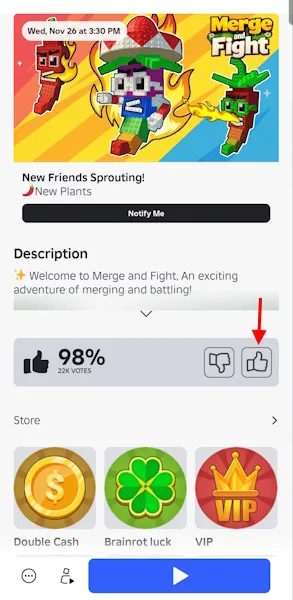
How to enjoy a Roblox game on your mobile phone.
On your mobile phone, you need to have the official Roblox app installed. The "Like" button appears directly on the game's page.
Android
- Open the Roblox app on Android.
- Search for or select the desired game.
- Open the game page without starting the match.
- Tap the Like button below the title.
iOS
- Open the Roblox app on your iPhone or iPad.
- Access the game's page.
- Tap the thumbs-up icon below the title.
- Please confirm that the icon has been filled in.
How to enjoy a Roblox game on your console
Console gamers can also enjoy the games, although the process requires the use of a virtual cursor.
Xbox
- Launch Roblox on Xbox.
- Access the game's page.
- Use the analog stick to move the cursor to the like icon.
- Press A to confirm.
PlayStation
- Open Roblox on your PS4 or PS5.
- Go to the game page.
- Move your cursor to the Like button.
- Press X to register a like.
Frequently Asked Questions about enjoying games on Roblox
❓ Do I need to play a game before I can enjoy a game on Roblox?
Yes. Roblox requires the player to start the game at least once before they can enjoy it.
❓ Can I remove the like later?
Yes. Just click the like icon again to return to the default state.
❓ Does liking a game unlock rewards?
In many games, yes. Some codes and bonuses only become available after liking the game.
In 2026, enjoying a game on Roblox remains a simple yet strategic action, both for players and developers seeking prominence on the platform.
Want to stay up-to-date on the latest Roblox news? Check out our latest news and updated guides about the Roblox universe at RobloxMania.